---
title: "List Sent Emails Endpoint"
slug: list-sent-emails-endpoint
description: "List sent emails from your account."
created_at: "2025-10-24"
updated_at: "2025-10-24"
image: https://cdn.resend.com/posts/list-sent-emails-endpoint-cover-2.jpg
humans: ["lucas-costa", "lucas-vieira"]
---
The [emails page](/emails) shows all emails you've sent from your account with several filters and sorting options.
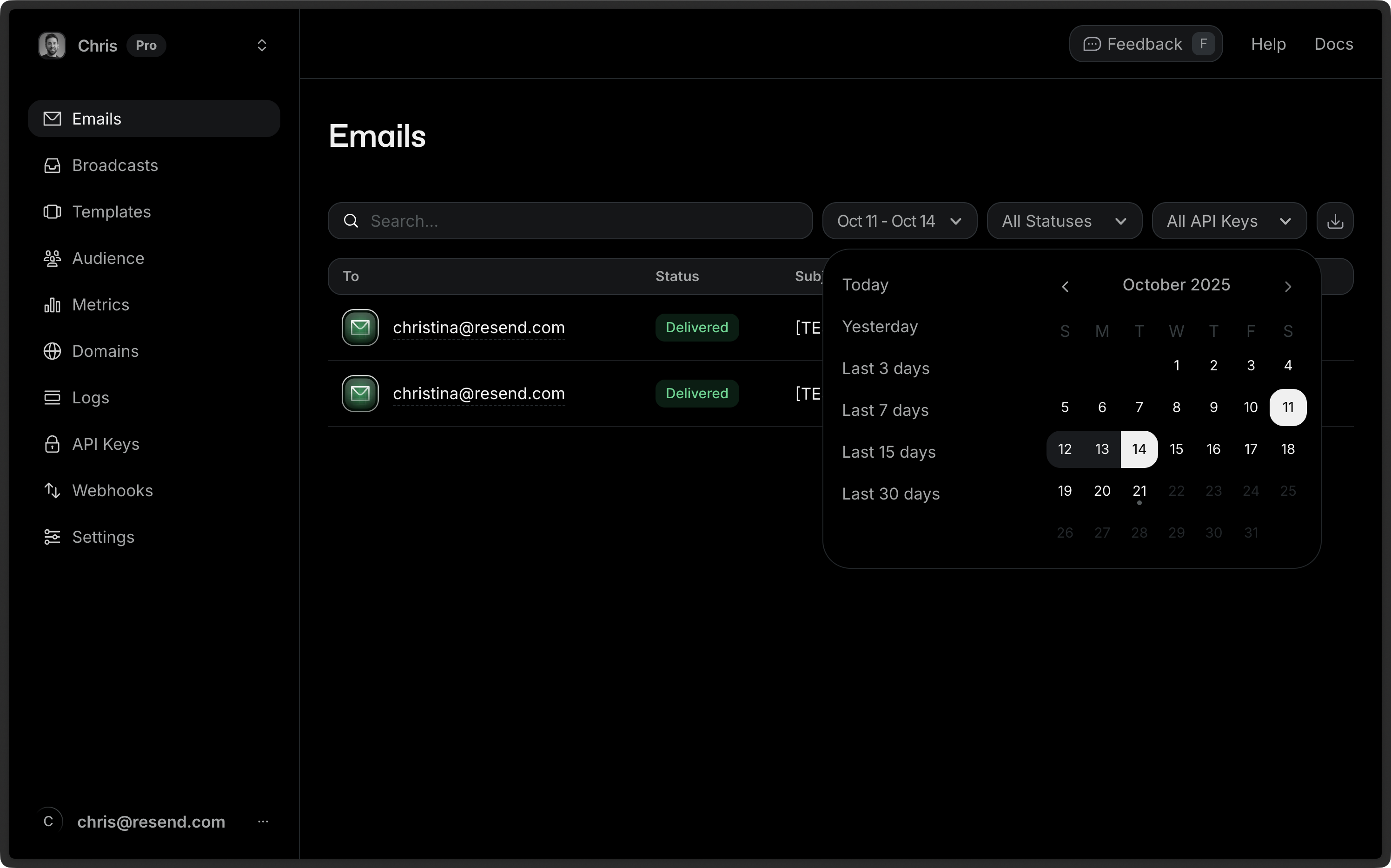 Today, we've added a new endpoint to the Resend API to list sent emails to give you a more programmatic way to access emails sent from your account.
## How to use it
By default, the list will return the last 20 emails sent from your account using the `GET /emails` endpoint or any SDK equivalent.
```nodejs
import { Resend } from 'resend';
const resend = new Resend('re_xxxxxxxxx');
const { data, error } = await resend.emails.list();
```
```php
$resend = Resend::client('re_xxxxxxxxx');
$resend->emails->list();
```
```python
import resend
resend.api_key = "re_xxxxxxxxx"
resend.Emails.list()
```
```ruby
Resend.api_key = "re_xxxxxxxxx"
emails = Resend::Emails.list
puts emails
```
```go
import (
"context"
"fmt"
"github.com/resend/resend-go/v2"
)
ctx := context.TODO()
client := resend.NewClient("re_xxxxxxxxx")
paginatedResp, err := client.Emails.ListWithContext(ctx, nil)
if err != nil {
panic(err)
}
fmt.Printf("Found %d emails\n", len(paginatedResp.Data))
if paginatedResp.HasMore {
opts := &resend.ListOptions{
After: paginatedResp.Data[len(paginatedResp.Data)-1].ID,
}
paginatedResp, err = client.Emails.ListWithOptions(ctx, opts)
if err != nil {
panic(err)
}
fmt.Printf("Found %d more emails in next page\n", len(paginatedResp.Data))
}
```
```rust
use resend_rs::{types::ListEmailOptions, Resend, Result};
#[tokio::main]
async fn main() -> Result<()> {
let resend = Resend::new("re_xxxxxxxxx");
let _emails = resend.emails.list(ListEmailOptions::default()).await?;
Ok(())
}
```
```java
import com.resend.*;
public class Main {
public static void main(String[] args) {
Resend resend = new Resend("re_xxxxxxxxx");
ListEmailsResponse emails = resend.emails().list();
}
}
```
```dotnet
using Resend;
IResend resend = ResendClient.Create( "re_xxxxxxxxx" ); // Or from DI
var resp = await resend.EmailListAsync();
Console.WriteLine( "Count={0}", resp.Content.Data.Count );
```
```curl
curl -X GET 'https://api.resend.com/emails' \
-H 'Authorization: Bearer re_xxxxxxxxx'
```
The response will be a list of emails with the following structure:
```json
{
"object": "list",
"has_more": false,
"data": [
{
"id": "4ef9a417-02e9-4d39-ad75-9611e0fcc33c",
"to": ["delivered@resend.dev"],
"from": "Acme ",
"created_at": "2023-04-03T22:13:42.674981+00:00",
"subject": "Hello World",
"bcc": null,
"cc": null,
"reply_to": null,
"last_event": "delivered",
"scheduled_at": null
},
{
"id": "3a9f8c2b-1e5d-4f8a-9c7b-2d6e5f8a9c7b",
"to": ["user@example.com"],
"from": "Acme ",
"created_at": "2023-04-03T21:45:12.345678+00:00",
"subject": "Welcome to Acme",
"bcc": null,
"cc": null,
"reply_to": null,
"last_event": "opened",
"scheduled_at": null
}
]
}
```
## Pagination
The following query parameters are supported when calling the `GET /emails` endpoint:
- `limit`: The number of emails to return. Maximum is 100. Minimum is 1. Default is 20.
- `after`: The cursor after which to start retrieving emails. To get the next page, use the ID of the last email from the current page. This will return the page that **starts** after the email with this ID (excluding the passed ID itself).
- `before`: The cursor before which to start retrieving emails. To get the previous page, use the ID of the first email from the current page. This will return the page that **ends before** the email with this ID (excluding the passed ID itself).
To retrieve additional pages, use the `before` or `after` params to go through the list.
### Forward pagination
To paginate forward through results (newer to older items), use the `after` parameter with the ID of the **last item** from the current page:
```nodejs
const resend = new Resend('re_xxxxxxxxx');
// First page
const { data: firstPage } = await resend.emails.list({ limit: 10 });
// Second page (if has_more is true)
if (firstPage.has_more) {
const lastId = firstPage.data[firstPage.data.length - 1].id;
const { data: secondPage } = await resend.emails.list({
limit: 10,
after: lastId
});
}
```
```php
$resend = Resend::client('re_xxxxxxxxx');
// First page
$firstPage = $resend->emails->list(['limit' => 10]);
// Second page (if has_more is true)
if ($firstPage['has_more']) {
$lastId = end($firstPage['data'])['id'];
$secondPage = $resend->emails->list([
'limit' => 10,
'after' => $lastId
]);
}
```
```python
import resend
resend.api_key = "re_xxxxxxxxx"
# First page
first_page = resend.Emails.list(limit=10)
# Second page (if has_more is true)
if first_page['has_more']:
last_id = first_page['data'][-1]['id']
second_page = resend.Emails.list(limit=10, after=last_id)
```
```ruby
Resend.api_key = "re_xxxxxxxxx"
# First page
first_page = Resend::Emails.list(limit: 10)
# Second page (if has_more is true)
if first_page['has_more']
last_id = first_page['data'].last['id']
second_page = Resend::Emails.list(limit: 10, after: last_id)
end
```
```go
import "github.com/resend/resend-go/v2"
client := resend.NewClient("re_xxxxxxxxx")
// First page
firstPage, err := client.Emails.List(&resend.ListEmailsRequest{
Limit: 10,
})
// Second page (if has_more is true)
if firstPage.HasMore {
lastId := firstPage.Data[len(firstPage.Data)-1].Id
secondPage, err := client.Emails.List(&resend.ListEmailsRequest{
Limit: 10,
After: lastId,
})
}
```
```rust
use resend_rs::{Resend, Result, types::ListEmailOptions};
#[tokio::main]
async fn main() -> Result<()> {
let resend = Resend::new("re_xxxxxxxxx");
// First page
let list_opts = ListEmailOptions::default().with_limit(10);
let first_page = resend.emails.list(list_opts).await?;
// Second page (if has_more is true)
if first_page.has_more {
let last_id = &first_page.data.last().unwrap().id;
let list_opts = ListEmailOptions::default()
.with_limit(10)
.list_after(last_id);
let second_page = resend.emails.list(list_opts).await?;
}
Ok(())
}
```
```java
import com.resend.*;
public class Main {
public static void main(String[] args) {
Resend resend = new Resend("re_xxxxxxxxx");
// First page
ListEmailsResponse firstPage = resend.emails().list(10);
// Second page (if has_more is true)
if (firstPage.getHasMore()) {
String lastId = firstPage.getData().get(firstPage.getData().size() - 1).getId();
ListEmailsResponse secondPage = resend.emails().list(10, lastId, null);
}
}
}
```
```dotnet
using Resend;
using System.Linq;
IResend resend = ResendClient.Create("re_xxxxxxxxx");
// First page
var firstPage = await resend.EmailListAsync( new PaginatedQuery() {
Limit = 50,
});
// Second page (if has_more is true)
if (firstPage.Content.HasMore)
{
var lastId = firstPage.Content.Data.Last().Id;
var secondPage = await resend.EmailListAsync( new PaginatedQuery() {
Limit = 10,
After = lastId.ToString(),
});
}
```
```curl
# First page
curl -X GET 'https://api.resend.com/emails?limit=10' \
-H 'Authorization: Bearer re_xxxxxxxxx'
# Second page
curl -X GET 'https://api.resend.com/emails?limit=10&after=LAST_ID_FROM_PREVIOUS_PAGE' \
-H 'Authorization: Bearer re_xxxxxxxxx'
```
### Backwards pagination
To paginate backward through results (older to newer items), use the `before` parameter with the ID of the **first item** from the current page (or the most recent ID you have in your system):
```nodejs
const resend = new Resend('re_xxxxxxxxx');
// Start from a specific point and go backward
const page = await resend.emails.list({
limit: 10,
before: 'some-email-id'
});
if (page.data.has_more) {
const firstId = page.data.data[0].id;
const previousPage = await resend.emails.list({
limit: 10,
before: firstId
});
}
```
```php
$resend = Resend::client('re_xxxxxxxxx');
// Start from a specific point and go backward
$page = $resend->emails->list([
'limit' => 10,
'before' => 'some-email-id'
]);
if ($page['has_more']) {
$firstId = $page['data'][0]['id'];
$previousPage = $resend->emails->list([
'limit' => 10,
'before' => $firstId
]);
}
```
```python
import resend
resend.api_key = "re_xxxxxxxxx"
# Start from a specific point and go backward
page = resend.Emails.list(limit=10, before="some-email-id")
if page["has_more"]:
first_id = page["data"][0]["id"]
previous_page = resend.Emails.list(limit=10, before=first_id)
```
```ruby
Resend.api_key = "re_xxxxxxxxx"
# Start from a specific point and go backward
page = Resend::Emails.list(limit: 10, before: 'some-email-id')
if page['has_more']
first_id = page['data'].first['id']
previous_page = Resend::Emails.list(limit: 10, before: first_id)
end
```
```go
import "github.com/resend/resend-go/v2"
client := resend.NewClient("re_xxxxxxxxx")
// Start from a specific point and go backward
page, err := client.Emails.List(&resend.ListEmailsRequest{
Limit: resend.Int(10),
Before: resend.String("some-email-id"),
})
if page.HasMore {
firstId := page.Data[0].ID
previousPage, err := client.Emails.List(&resend.ListEmailsRequest{
Limit: resend.Int(10),
Before: resend.String(firstId),
})
}
```
```rust
use resend_rs::{Resend, Result, types::ListEmailOptions};
#[tokio::main]
async fn main() -> Result<()> {
let resend = Resend::new("re_xxxxxxxxx");
// Start from a specific point and go backward
let list_opts = ListEmailOptions::default()
.with_limit(10)
.list_before("some-email-id");
let page = resend.emails.list(list_opts).await?;
if page.has_more {
let first_id = &page.data.first().unwrap().id;
let list_opts = ListEmailOptions::default()
.with_limit(10)
.list_before(first_id);
let previous_page = resend.emails.list(list_opts).await?;
}
Ok(())
}
```
```java
import com.resend.*;
public class Main {
public static void main(String[] args) {
Resend resend = new Resend("re_xxxxxxxxx");
// Start from a specific point and go backward
ListEmailsResponse page = resend.emails().list(10, null, "some-email-id");
if (page.getHasMore()) {
String firstId = page.getData().get(0).getId();
ListEmailsResponse previousPage = resend.emails().list(10, null, firstId);
}
}
}
```
```dotnet
using Resend;
IResend resend = ResendClient.Create("re_xxxxxxxxx");
// Start from a specific point and go backward
var page = await resend.EmailListAsync(limit: 10, before: "some-email-id");
if (page.Content.HasMore)
{
var firstId = page.Content.Data.First().Id;
var previousPage = await resend.EmailListAsync(limit: 10, before: firstId);
}
```
```curl
curl -X GET 'https://api.resend.com/emails?limit=10&before=some-email-id' \
-H 'Authorization: Bearer re_xxxxxxxxx'
```
You can safely navigate lists with guaranteed stability, even if new objects are created or deleted while you’re still requesting pages.
## Getting email content
The list returns references to individual emails, but not the email content. If needed, you can use the id of an email to retrieve the email HTML to plain text using the [Retrieve Email](/docs/api-reference/emails/retrieve-email) endpoint.
## Conclusion
You should have quick access to your data where you need it. We hope you find this new endpoint helpful for retrieving your data.
For more details, view our [API Reference docs](/docs/api-reference/emails/list-emails).
Today, we've added a new endpoint to the Resend API to list sent emails to give you a more programmatic way to access emails sent from your account.
## How to use it
By default, the list will return the last 20 emails sent from your account using the `GET /emails` endpoint or any SDK equivalent.
```nodejs
import { Resend } from 'resend';
const resend = new Resend('re_xxxxxxxxx');
const { data, error } = await resend.emails.list();
```
```php
$resend = Resend::client('re_xxxxxxxxx');
$resend->emails->list();
```
```python
import resend
resend.api_key = "re_xxxxxxxxx"
resend.Emails.list()
```
```ruby
Resend.api_key = "re_xxxxxxxxx"
emails = Resend::Emails.list
puts emails
```
```go
import (
"context"
"fmt"
"github.com/resend/resend-go/v2"
)
ctx := context.TODO()
client := resend.NewClient("re_xxxxxxxxx")
paginatedResp, err := client.Emails.ListWithContext(ctx, nil)
if err != nil {
panic(err)
}
fmt.Printf("Found %d emails\n", len(paginatedResp.Data))
if paginatedResp.HasMore {
opts := &resend.ListOptions{
After: paginatedResp.Data[len(paginatedResp.Data)-1].ID,
}
paginatedResp, err = client.Emails.ListWithOptions(ctx, opts)
if err != nil {
panic(err)
}
fmt.Printf("Found %d more emails in next page\n", len(paginatedResp.Data))
}
```
```rust
use resend_rs::{types::ListEmailOptions, Resend, Result};
#[tokio::main]
async fn main() -> Result<()> {
let resend = Resend::new("re_xxxxxxxxx");
let _emails = resend.emails.list(ListEmailOptions::default()).await?;
Ok(())
}
```
```java
import com.resend.*;
public class Main {
public static void main(String[] args) {
Resend resend = new Resend("re_xxxxxxxxx");
ListEmailsResponse emails = resend.emails().list();
}
}
```
```dotnet
using Resend;
IResend resend = ResendClient.Create( "re_xxxxxxxxx" ); // Or from DI
var resp = await resend.EmailListAsync();
Console.WriteLine( "Count={0}", resp.Content.Data.Count );
```
```curl
curl -X GET 'https://api.resend.com/emails' \
-H 'Authorization: Bearer re_xxxxxxxxx'
```
The response will be a list of emails with the following structure:
```json
{
"object": "list",
"has_more": false,
"data": [
{
"id": "4ef9a417-02e9-4d39-ad75-9611e0fcc33c",
"to": ["delivered@resend.dev"],
"from": "Acme ",
"created_at": "2023-04-03T22:13:42.674981+00:00",
"subject": "Hello World",
"bcc": null,
"cc": null,
"reply_to": null,
"last_event": "delivered",
"scheduled_at": null
},
{
"id": "3a9f8c2b-1e5d-4f8a-9c7b-2d6e5f8a9c7b",
"to": ["user@example.com"],
"from": "Acme ",
"created_at": "2023-04-03T21:45:12.345678+00:00",
"subject": "Welcome to Acme",
"bcc": null,
"cc": null,
"reply_to": null,
"last_event": "opened",
"scheduled_at": null
}
]
}
```
## Pagination
The following query parameters are supported when calling the `GET /emails` endpoint:
- `limit`: The number of emails to return. Maximum is 100. Minimum is 1. Default is 20.
- `after`: The cursor after which to start retrieving emails. To get the next page, use the ID of the last email from the current page. This will return the page that **starts** after the email with this ID (excluding the passed ID itself).
- `before`: The cursor before which to start retrieving emails. To get the previous page, use the ID of the first email from the current page. This will return the page that **ends before** the email with this ID (excluding the passed ID itself).
To retrieve additional pages, use the `before` or `after` params to go through the list.
### Forward pagination
To paginate forward through results (newer to older items), use the `after` parameter with the ID of the **last item** from the current page:
```nodejs
const resend = new Resend('re_xxxxxxxxx');
// First page
const { data: firstPage } = await resend.emails.list({ limit: 10 });
// Second page (if has_more is true)
if (firstPage.has_more) {
const lastId = firstPage.data[firstPage.data.length - 1].id;
const { data: secondPage } = await resend.emails.list({
limit: 10,
after: lastId
});
}
```
```php
$resend = Resend::client('re_xxxxxxxxx');
// First page
$firstPage = $resend->emails->list(['limit' => 10]);
// Second page (if has_more is true)
if ($firstPage['has_more']) {
$lastId = end($firstPage['data'])['id'];
$secondPage = $resend->emails->list([
'limit' => 10,
'after' => $lastId
]);
}
```
```python
import resend
resend.api_key = "re_xxxxxxxxx"
# First page
first_page = resend.Emails.list(limit=10)
# Second page (if has_more is true)
if first_page['has_more']:
last_id = first_page['data'][-1]['id']
second_page = resend.Emails.list(limit=10, after=last_id)
```
```ruby
Resend.api_key = "re_xxxxxxxxx"
# First page
first_page = Resend::Emails.list(limit: 10)
# Second page (if has_more is true)
if first_page['has_more']
last_id = first_page['data'].last['id']
second_page = Resend::Emails.list(limit: 10, after: last_id)
end
```
```go
import "github.com/resend/resend-go/v2"
client := resend.NewClient("re_xxxxxxxxx")
// First page
firstPage, err := client.Emails.List(&resend.ListEmailsRequest{
Limit: 10,
})
// Second page (if has_more is true)
if firstPage.HasMore {
lastId := firstPage.Data[len(firstPage.Data)-1].Id
secondPage, err := client.Emails.List(&resend.ListEmailsRequest{
Limit: 10,
After: lastId,
})
}
```
```rust
use resend_rs::{Resend, Result, types::ListEmailOptions};
#[tokio::main]
async fn main() -> Result<()> {
let resend = Resend::new("re_xxxxxxxxx");
// First page
let list_opts = ListEmailOptions::default().with_limit(10);
let first_page = resend.emails.list(list_opts).await?;
// Second page (if has_more is true)
if first_page.has_more {
let last_id = &first_page.data.last().unwrap().id;
let list_opts = ListEmailOptions::default()
.with_limit(10)
.list_after(last_id);
let second_page = resend.emails.list(list_opts).await?;
}
Ok(())
}
```
```java
import com.resend.*;
public class Main {
public static void main(String[] args) {
Resend resend = new Resend("re_xxxxxxxxx");
// First page
ListEmailsResponse firstPage = resend.emails().list(10);
// Second page (if has_more is true)
if (firstPage.getHasMore()) {
String lastId = firstPage.getData().get(firstPage.getData().size() - 1).getId();
ListEmailsResponse secondPage = resend.emails().list(10, lastId, null);
}
}
}
```
```dotnet
using Resend;
using System.Linq;
IResend resend = ResendClient.Create("re_xxxxxxxxx");
// First page
var firstPage = await resend.EmailListAsync( new PaginatedQuery() {
Limit = 50,
});
// Second page (if has_more is true)
if (firstPage.Content.HasMore)
{
var lastId = firstPage.Content.Data.Last().Id;
var secondPage = await resend.EmailListAsync( new PaginatedQuery() {
Limit = 10,
After = lastId.ToString(),
});
}
```
```curl
# First page
curl -X GET 'https://api.resend.com/emails?limit=10' \
-H 'Authorization: Bearer re_xxxxxxxxx'
# Second page
curl -X GET 'https://api.resend.com/emails?limit=10&after=LAST_ID_FROM_PREVIOUS_PAGE' \
-H 'Authorization: Bearer re_xxxxxxxxx'
```
### Backwards pagination
To paginate backward through results (older to newer items), use the `before` parameter with the ID of the **first item** from the current page (or the most recent ID you have in your system):
```nodejs
const resend = new Resend('re_xxxxxxxxx');
// Start from a specific point and go backward
const page = await resend.emails.list({
limit: 10,
before: 'some-email-id'
});
if (page.data.has_more) {
const firstId = page.data.data[0].id;
const previousPage = await resend.emails.list({
limit: 10,
before: firstId
});
}
```
```php
$resend = Resend::client('re_xxxxxxxxx');
// Start from a specific point and go backward
$page = $resend->emails->list([
'limit' => 10,
'before' => 'some-email-id'
]);
if ($page['has_more']) {
$firstId = $page['data'][0]['id'];
$previousPage = $resend->emails->list([
'limit' => 10,
'before' => $firstId
]);
}
```
```python
import resend
resend.api_key = "re_xxxxxxxxx"
# Start from a specific point and go backward
page = resend.Emails.list(limit=10, before="some-email-id")
if page["has_more"]:
first_id = page["data"][0]["id"]
previous_page = resend.Emails.list(limit=10, before=first_id)
```
```ruby
Resend.api_key = "re_xxxxxxxxx"
# Start from a specific point and go backward
page = Resend::Emails.list(limit: 10, before: 'some-email-id')
if page['has_more']
first_id = page['data'].first['id']
previous_page = Resend::Emails.list(limit: 10, before: first_id)
end
```
```go
import "github.com/resend/resend-go/v2"
client := resend.NewClient("re_xxxxxxxxx")
// Start from a specific point and go backward
page, err := client.Emails.List(&resend.ListEmailsRequest{
Limit: resend.Int(10),
Before: resend.String("some-email-id"),
})
if page.HasMore {
firstId := page.Data[0].ID
previousPage, err := client.Emails.List(&resend.ListEmailsRequest{
Limit: resend.Int(10),
Before: resend.String(firstId),
})
}
```
```rust
use resend_rs::{Resend, Result, types::ListEmailOptions};
#[tokio::main]
async fn main() -> Result<()> {
let resend = Resend::new("re_xxxxxxxxx");
// Start from a specific point and go backward
let list_opts = ListEmailOptions::default()
.with_limit(10)
.list_before("some-email-id");
let page = resend.emails.list(list_opts).await?;
if page.has_more {
let first_id = &page.data.first().unwrap().id;
let list_opts = ListEmailOptions::default()
.with_limit(10)
.list_before(first_id);
let previous_page = resend.emails.list(list_opts).await?;
}
Ok(())
}
```
```java
import com.resend.*;
public class Main {
public static void main(String[] args) {
Resend resend = new Resend("re_xxxxxxxxx");
// Start from a specific point and go backward
ListEmailsResponse page = resend.emails().list(10, null, "some-email-id");
if (page.getHasMore()) {
String firstId = page.getData().get(0).getId();
ListEmailsResponse previousPage = resend.emails().list(10, null, firstId);
}
}
}
```
```dotnet
using Resend;
IResend resend = ResendClient.Create("re_xxxxxxxxx");
// Start from a specific point and go backward
var page = await resend.EmailListAsync(limit: 10, before: "some-email-id");
if (page.Content.HasMore)
{
var firstId = page.Content.Data.First().Id;
var previousPage = await resend.EmailListAsync(limit: 10, before: firstId);
}
```
```curl
curl -X GET 'https://api.resend.com/emails?limit=10&before=some-email-id' \
-H 'Authorization: Bearer re_xxxxxxxxx'
```
You can safely navigate lists with guaranteed stability, even if new objects are created or deleted while you’re still requesting pages.
## Getting email content
The list returns references to individual emails, but not the email content. If needed, you can use the id of an email to retrieve the email HTML to plain text using the [Retrieve Email](/docs/api-reference/emails/retrieve-email) endpoint.
## Conclusion
You should have quick access to your data where you need it. We hope you find this new endpoint helpful for retrieving your data.
For more details, view our [API Reference docs](/docs/api-reference/emails/list-emails).