---
title: "How we use Friction Logs to improve the product"
slug: how-we-use-friction-logs-to-improve-the-product
description: "A behind-the-scenes look at how we onboard new hires and quickly ship improvements."
created_at: "2025-02-05"
updated_at: "2025-02-05"
image: https://cdn.resend.com/posts/how-we-use-friction-logs-to-improve-the-product.jpg
humans: ["zeno-rocha"]
featured: true
category: "engineering"
---
Our tagline, “Email for Developers”, is more than a slogan. We are committed to the best developer experience and **continue to iterate so we can constantly improve**.
One of the clearest examples of this focus is evident each time we hire.
Friction Logs are something I got used to doing at Stripe, and I was happy to see that Resend not only implemented something similar but also encourages new hires to apply it to their onboarding.
Alexandre Cisneiros
Software Engineer
## New Hire Friction Log
Each new employee conducts a **“Friction Log” in the first few days**. Generally speaking, each person logs the experience of signing up for Resend and exploring the different services we provide. The process isn’t scripted and each employee does it differently. Here are some recent examples:
- created an interactive game that sent [transactional emails](/products/transactional-emails) as clues.
- focused on the developer experience of [react.email](https://react.email) by building out a Secret Santa generator.
- explored [Broadcasts](/features/broadcasts) by recreating a marketing email from scratch and heavily testing the entire UX of the no-code editor.
Jumping in and being able to make improvements so early in my second week was such a great experience. It helped me feel more connected with the team and the product right away. Plus, it left me super excited for what’s to come.
Giovana Yahiro
Design Engineer
## Presenting Findings
We encourage the new hire to take notes along the way in an Onboarding Friction Log file. Each log often includes reflections on the employee onboarding experience as well.
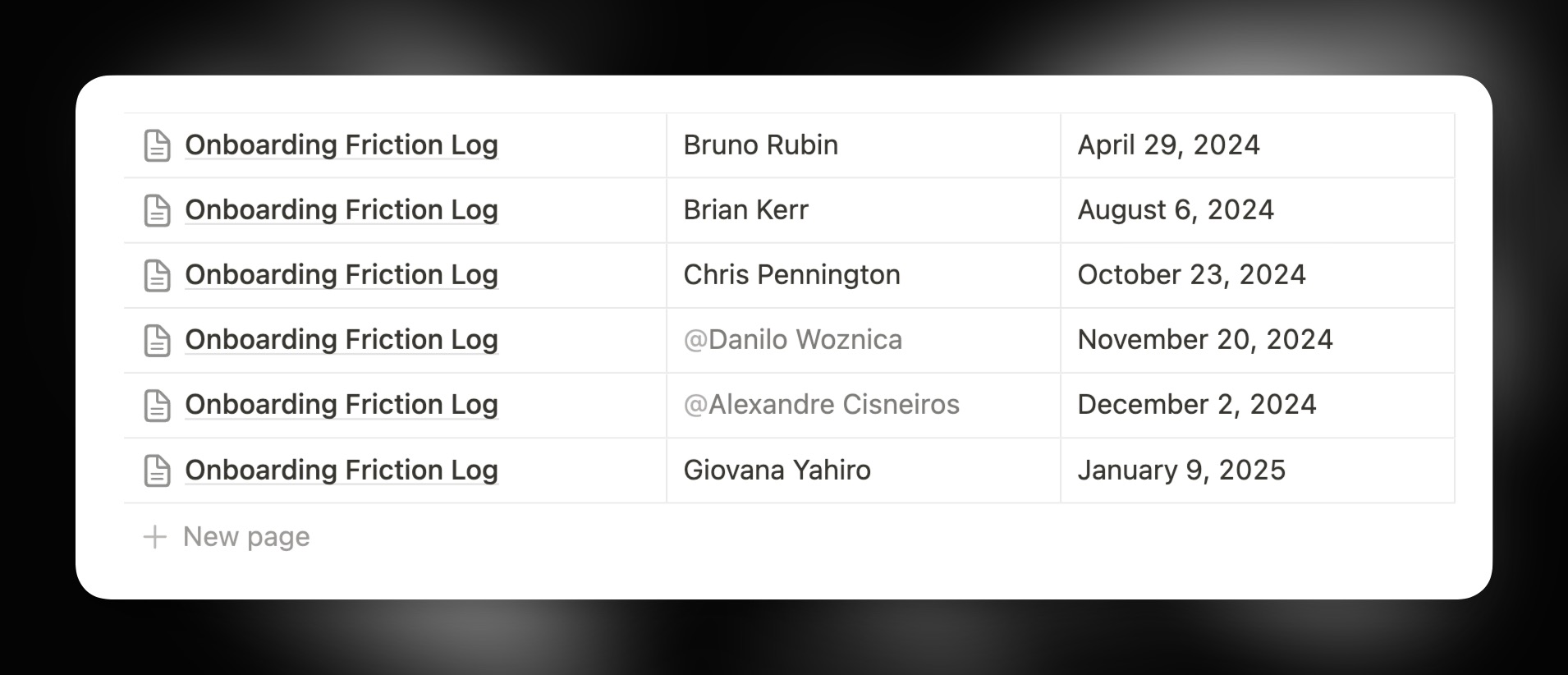 During the next demo day, the **new hire presents their findings** for the team. We encourage a critical eye and are always finding new ways to improve the experience of using Resend.
Hiring **diverse talent leads to diverse feedback** and gives us a helpful view into a real customer’s experience.
During the next demo day, the **new hire presents their findings** for the team. We encourage a critical eye and are always finding new ways to improve the experience of using Resend.
Hiring **diverse talent leads to diverse feedback** and gives us a helpful view into a real customer’s experience.
When joining a new team, it's challenging to find opportunities to make impactful contributions right away. However, by following this process in the first week, I was empowered to ship bug fixes, implement new features, and accelerate my codebase onboarding.
Danilo Woznica
Design Engineer
## Implementing Fixes
Once they identify key friction points, the new hire helps implement fixes to make the journey smoother for the next customer.
### Example 1: Sidebar Icons
It’s the little things. When Danilo joined, he noticed a minor UI issue in our sidebar icons.
- Drop frames if the mouse left the animation early
- Only play the animation if you leave the mouse hovering
- Trigger the animation accidentally
He improved the behavior to be more consistent and predictable.
- Once the animation starts, it never stops
- Only trigger animation when the animation frame is at the start or 90% of the animation has finished
- Use debounce to delay accidental mouseovers
### Example 2: Broadcast Editor
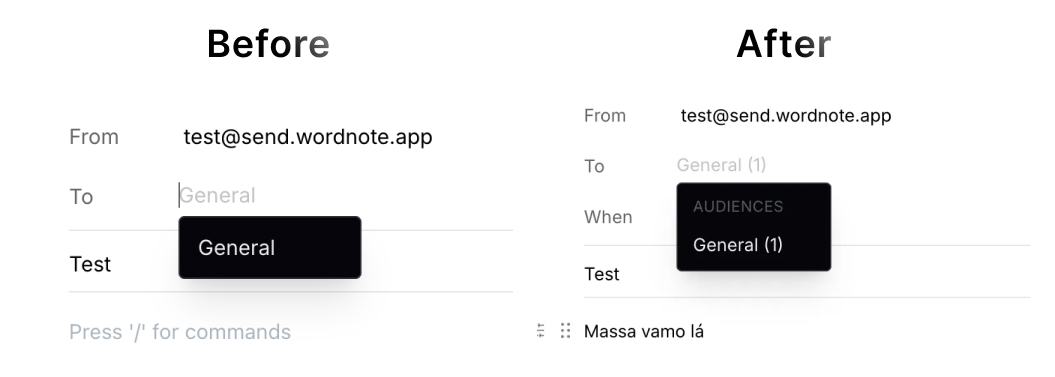
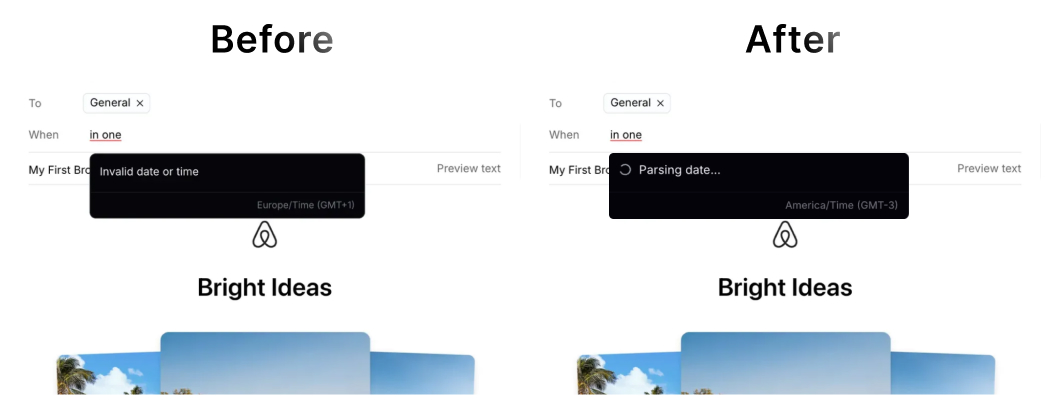
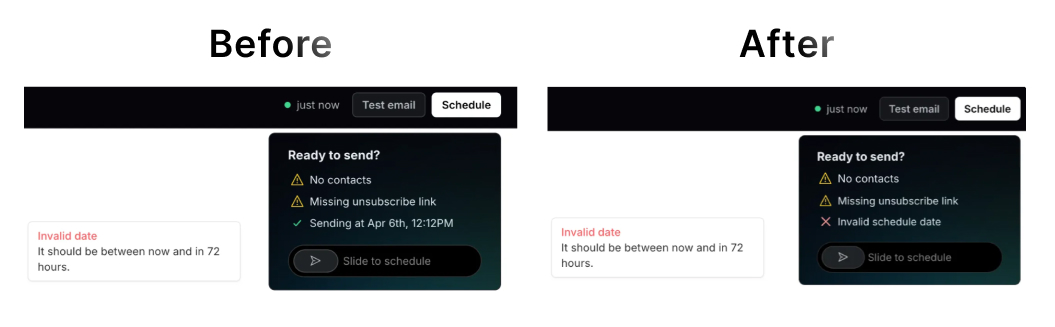
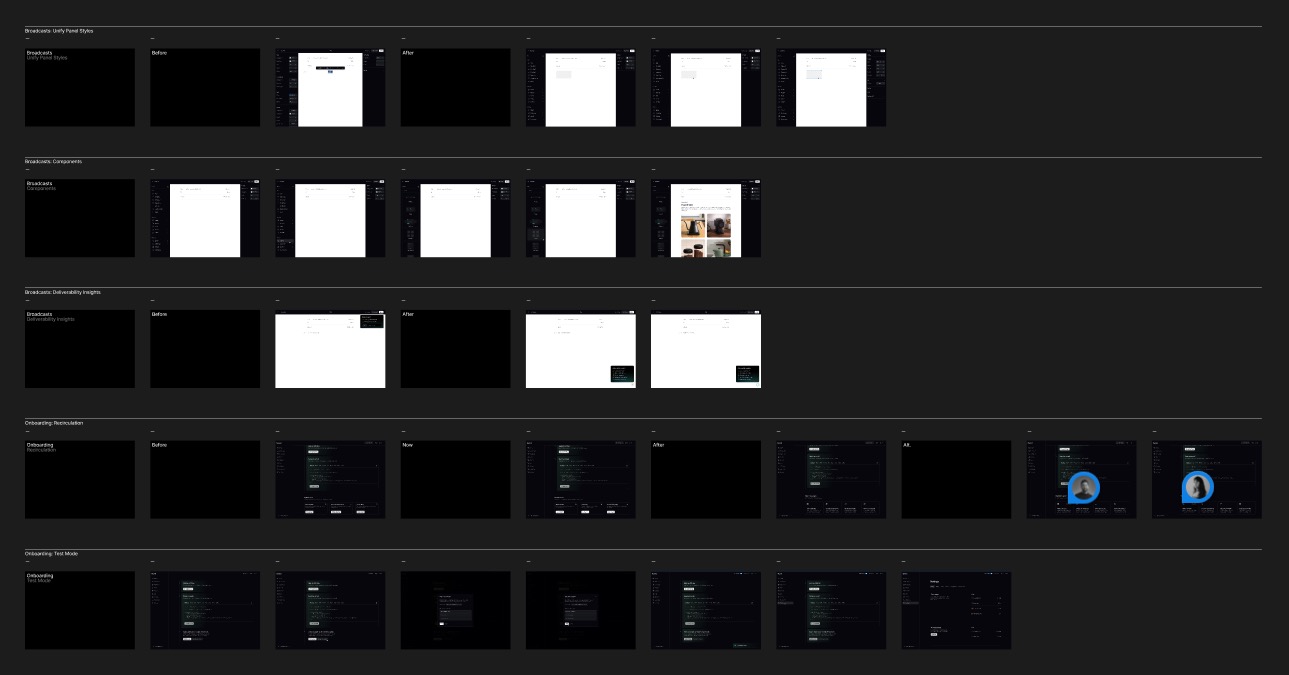
Giovana focused on improving the UX of the Broadcast Editor. She collaborated together with to implement the changes. Within her first few days, they shipped a large list of micro-improvements. Here are some examples:
Provide labels for the `to` field for more clarity on audiences.
 Show active parsing date for scheduled broadcasts to avoid showing errors while user inputs a date.
 Fix validation inconsistencies for scheduled broadcasts.
 In addition to multiple other shipped improvements, she also drafted several future initiatives, including key improvements our customers have requested.
 ### Example 3: Paper Cuts
With any product, there are always small issues that can be frustrating for users. Some harm the user experience, while others can simply be confusing to the user.
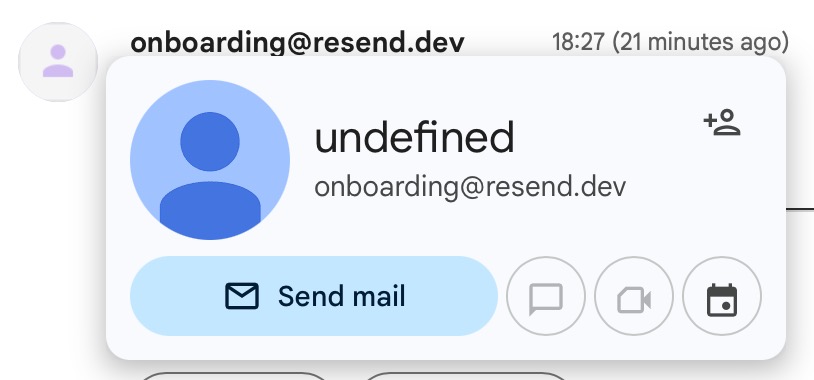
Cisneiros noted that the email from the Resend dashboard onboarding experience differed from the same basic call from the Resend API. The dashboard email showed `undefined` as the name of the email.
### Example 3: Paper Cuts
With any product, there are always small issues that can be frustrating for users. Some harm the user experience, while others can simply be confusing to the user.
Cisneiros noted that the email from the Resend dashboard onboarding experience differed from the same basic call from the Resend API. The dashboard email showed `undefined` as the name of the email.
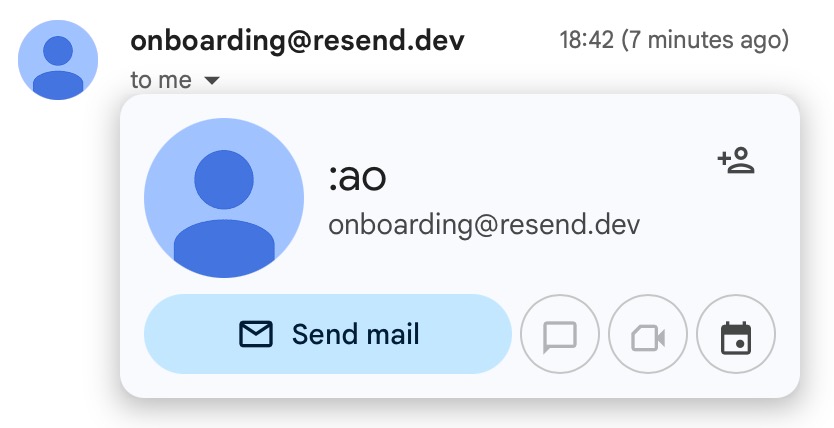
 Even odder, the API call returned `:ao` as the name of the email.
 Often small details can be overlooked, but they can be the difference between a great experience and a frustrating or confusing one.
## Key Learnings
### 1. Leverage fresh eyes
Fresh perspectives from **new hires provide invaluable insights** into user experience and product improvements that might be overlooked by those too familiar with the product.
Once you're used to the product, it's hard to see the product with fresh eyes. New hires don't have that bias and are able to **spot things that we as long-time users don't**.
### 2. Ease onboarding
Early hands-on experience with the codebase accelerates onboarding and enables new team members to make **meaningful contributions early**. It also helps them understand the product better, build empathy with new users, and take immediate ownership.
### 3. Encourage collaboration
In order to fix friction points, the new hire usually needs to collaborate with multiple team members to get context, learn the codebase and tools, and merge their pull request.
This early collaboration integrates the new hire into the team and immediately begins to **build trust with the team**.
### 4. Reinforce improvement culture
Continuous **iteration and improvement culture** is reinforced by acting on feedback from every new team member. The presentation of the Friction Log also often leads to new ideas from existing team members, as well.
## Resources
If you want to learn more, here are some helpful links:
* [Friction Logs at Stripe](https://github.com/mikeb-stripe/friction-logging-toolkit/blob/main/how-we-use-friction-logs-at-stripe.md)
* [How to: friction logs](https://blog.sbensu.com/posts/friction-logs/)
We've seen Friction Logs work wonders for our team and we're excited to see how it will continue to help us improve the product.
Often small details can be overlooked, but they can be the difference between a great experience and a frustrating or confusing one.
## Key Learnings
### 1. Leverage fresh eyes
Fresh perspectives from **new hires provide invaluable insights** into user experience and product improvements that might be overlooked by those too familiar with the product.
Once you're used to the product, it's hard to see the product with fresh eyes. New hires don't have that bias and are able to **spot things that we as long-time users don't**.
### 2. Ease onboarding
Early hands-on experience with the codebase accelerates onboarding and enables new team members to make **meaningful contributions early**. It also helps them understand the product better, build empathy with new users, and take immediate ownership.
### 3. Encourage collaboration
In order to fix friction points, the new hire usually needs to collaborate with multiple team members to get context, learn the codebase and tools, and merge their pull request.
This early collaboration integrates the new hire into the team and immediately begins to **build trust with the team**.
### 4. Reinforce improvement culture
Continuous **iteration and improvement culture** is reinforced by acting on feedback from every new team member. The presentation of the Friction Log also often leads to new ideas from existing team members, as well.
## Resources
If you want to learn more, here are some helpful links:
* [Friction Logs at Stripe](https://github.com/mikeb-stripe/friction-logging-toolkit/blob/main/how-we-use-friction-logs-at-stripe.md)
* [How to: friction logs](https://blog.sbensu.com/posts/friction-logs/)
We've seen Friction Logs work wonders for our team and we're excited to see how it will continue to help us improve the product.