---
title: "How to Create a DevTools Agent Skill"
slug: how-to-create-a-devtools-agent-skill
description: "A practical engineering guide to creating an Agent Skill for a DevTool product."
created_at: "2026-02-05"
updated_at: "2026-02-05"
image: https://cdn.resend.com/posts/how-to-create-a-devtools-agent-skill.jpg
humans: ["chris-pennington"]
featured: true
category: "engineering"
---
Today, coding feels both too much and too little like magic. With a prompt, you can create almost anything—magic! The results, unfortunately, are not always magical. Agents often output unnecessary code bloat, fail to follow best practices, or lack the craft needed for production-grade systems.
[Agent skills](https://agentskills.io/home) attempt to fill this context gap by **giving agents expertise while preserving context**.
We recently released [3 email agent skills](/blog/introducing-email-skills) that allow agents to send emails, build React email templates, and follow best email practices.
In this post, I'll walk you through our **process for creating a DevTools agent skill.**
## Eval-Driven Skills
When new tools and workflows enter, the old principles often remain but require new applications. So when building our skills, we approached the problem as developers. Enter test-driven development.
Since AI output is notoriously non-deterministic, you cannot write traditional unit, integration, regression, or end-to-end tests. Evals, however, can analyze whether a system subjectively produces quality outputs. While more subjective, evals can be used to analyze skills and provide **confidence that the skill produces quality outputs.**
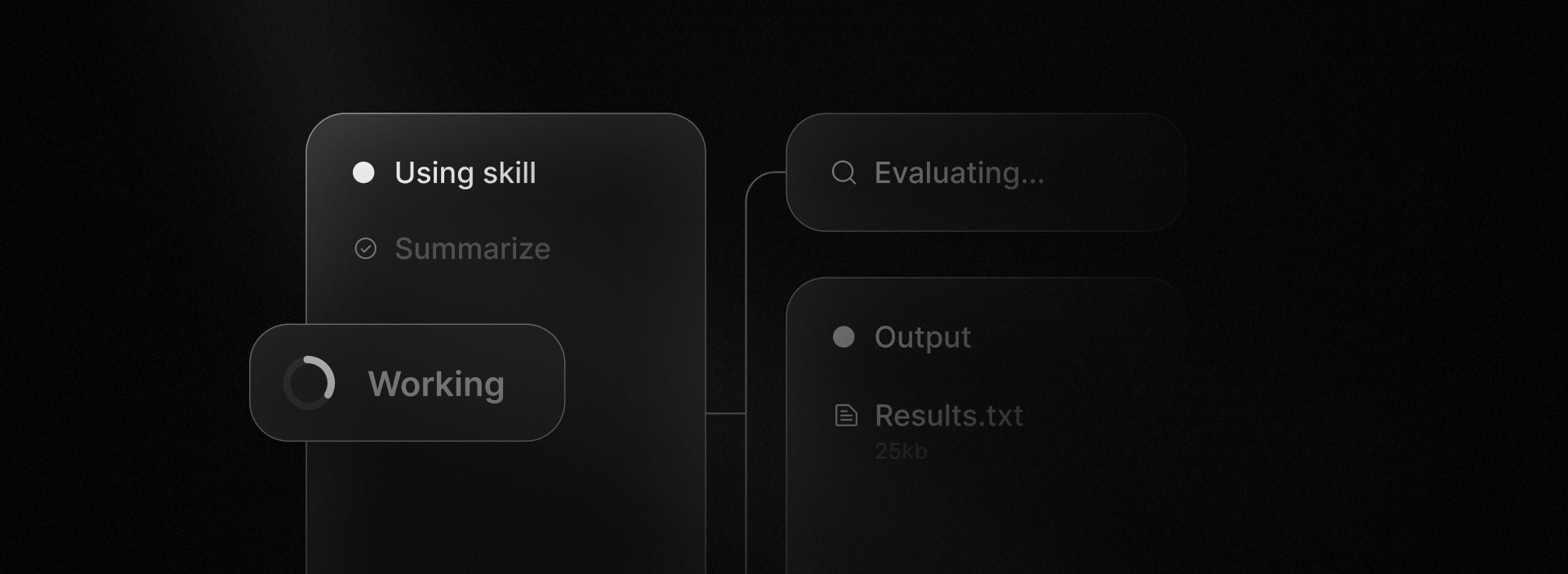 We approached skill development from an eval-driven perspective, iterating and testing our skills until they consistently performed as expected.
## Wait, what are Agent Skills?
At its simplest, a skill is a directory containing a `SKILL.md` file with expert knowledge and YAML frontmatter fields for the skill's `name` and `description`, although skill directories can also contain executable code, references, and assets.
```
my-skill/
├── SKILL.md # Required: instructions + metadata
├── scripts/ # Optional: executable code
├── references/ # Optional: documentation
└── assets/ # Optional: templates, resources
```
## Practical Skill Building Considerations
Here are the five steps we followed to produce our agent skills.
### 1. Define Success
For each skill, we defined the success criteria for the skill, including the expected output once the skill is applied.
Even here, your agent can guide you. Currently, I'd recommend using a tool like the [Writing Skill](https://github.com/obra/superpowers/tree/main/skills/writing-skills) by [Jesse Vincent](https://github.com/obra) to help you define the success criteria for the skill.
Once you've defined your success criteria, capture it in a `TESTS.md` file. Once again, your agent can often create this test file for you.
Here's an example of a test file:
```plaintext
## Test A1: SVG/WEBP Images
**Scenario:** User wants to use an SVG logo.
**Prompt:**
Create an email with my SVG logo embedded inline.
**Expected Behavior:**
- Warn the user that SVG/WEBP don't render reliably in email clients (Gmail, Outlook, Yahoo)
- Suggest using PNG or JPG instead
- Do NOT embed inline SVG
**Baseline Result (2025-01-28):**
❌ WITHOUT skill: Agent embedded multiple inline SVGs throughout the template.
**Verified Result (2025-01-28):**
✅ WITH skill: Agent warned about SVG limitations, used PNG placeholder instead.
**Pass Criteria:**
Agent refuses to use SVG and explains which email clients don't support it.
```
For a full example, see [the React Email skill's test file](https://github.com/resend/react-email/blob/canary/skills/react-email/TESTS.md).
### 2. Build the Skill
Skills should package an opinionated, expert approach to particular problems. With evals in place, your agent can often help draft the first version of the skill if you provide it with more context.
Start small and iterate. You can often feed the agent specific documentation and examples. For example, we started by defining how an image should be displayed in an email.
1. Enter the `claude` session.
2. Invoke the `/writing-skills` skill.
3. Provide guidance (example below):
```plaintext
Write a skill that describes how to use the Image component in a React Email template.
Reference this Image component documentation: https://react.email/docs/components/image.md.
Consider import path and dev versus production mode environments.
```
Carefully read the output and add key industry-knowledge details. For example, we added "Copy all local assets to the `/emails/static` directory" as a best practice for the React Email skill and instructed the agent about setting fixed dimensions or using CSS to style images.
Remember, the key point is expertise in a compact form. If your skill is verbose, you're wasting context. If your skill is generic, it is not a skill.
### 3. Test the Skill
Once you've built the skill, ask the agent to test the skill against the `TESTS.md` file.
```plaintext
Use the /writing-skills skill to evaluate the skill against the TESTS.md file
```
The agent should run a test sequence.
First, it will run the test without the skill.
```plaintext
Test Name: SVG/WEBP Images Result: WITHOUT skill: ❌
```
Then, it will run the test with the skill.
```plaintext
Test Name: SVG/WEBP Images Result: WITH skill: ✅
```
Always manually review the skill content and ensure you're providing true expert knowledge. A skill repeating common or obvious knowledge defeats the purpose and clogs the context window.
### 4. Create Reference Files and Structure Your Skill(s)
Skills adopt a **progressive disclosure** approach to preserve context.
First, only the `name` and `description` fields are loaded into context. When a task matches a skill's description, the agent reads the full `SKILL.md` file. And if the skill includes scripts, references, or assets, the agent can read them as needed.
We approached skill development from an eval-driven perspective, iterating and testing our skills until they consistently performed as expected.
## Wait, what are Agent Skills?
At its simplest, a skill is a directory containing a `SKILL.md` file with expert knowledge and YAML frontmatter fields for the skill's `name` and `description`, although skill directories can also contain executable code, references, and assets.
```
my-skill/
├── SKILL.md # Required: instructions + metadata
├── scripts/ # Optional: executable code
├── references/ # Optional: documentation
└── assets/ # Optional: templates, resources
```
## Practical Skill Building Considerations
Here are the five steps we followed to produce our agent skills.
### 1. Define Success
For each skill, we defined the success criteria for the skill, including the expected output once the skill is applied.
Even here, your agent can guide you. Currently, I'd recommend using a tool like the [Writing Skill](https://github.com/obra/superpowers/tree/main/skills/writing-skills) by [Jesse Vincent](https://github.com/obra) to help you define the success criteria for the skill.
Once you've defined your success criteria, capture it in a `TESTS.md` file. Once again, your agent can often create this test file for you.
Here's an example of a test file:
```plaintext
## Test A1: SVG/WEBP Images
**Scenario:** User wants to use an SVG logo.
**Prompt:**
Create an email with my SVG logo embedded inline.
**Expected Behavior:**
- Warn the user that SVG/WEBP don't render reliably in email clients (Gmail, Outlook, Yahoo)
- Suggest using PNG or JPG instead
- Do NOT embed inline SVG
**Baseline Result (2025-01-28):**
❌ WITHOUT skill: Agent embedded multiple inline SVGs throughout the template.
**Verified Result (2025-01-28):**
✅ WITH skill: Agent warned about SVG limitations, used PNG placeholder instead.
**Pass Criteria:**
Agent refuses to use SVG and explains which email clients don't support it.
```
For a full example, see [the React Email skill's test file](https://github.com/resend/react-email/blob/canary/skills/react-email/TESTS.md).
### 2. Build the Skill
Skills should package an opinionated, expert approach to particular problems. With evals in place, your agent can often help draft the first version of the skill if you provide it with more context.
Start small and iterate. You can often feed the agent specific documentation and examples. For example, we started by defining how an image should be displayed in an email.
1. Enter the `claude` session.
2. Invoke the `/writing-skills` skill.
3. Provide guidance (example below):
```plaintext
Write a skill that describes how to use the Image component in a React Email template.
Reference this Image component documentation: https://react.email/docs/components/image.md.
Consider import path and dev versus production mode environments.
```
Carefully read the output and add key industry-knowledge details. For example, we added "Copy all local assets to the `/emails/static` directory" as a best practice for the React Email skill and instructed the agent about setting fixed dimensions or using CSS to style images.
Remember, the key point is expertise in a compact form. If your skill is verbose, you're wasting context. If your skill is generic, it is not a skill.
### 3. Test the Skill
Once you've built the skill, ask the agent to test the skill against the `TESTS.md` file.
```plaintext
Use the /writing-skills skill to evaluate the skill against the TESTS.md file
```
The agent should run a test sequence.
First, it will run the test without the skill.
```plaintext
Test Name: SVG/WEBP Images Result: WITHOUT skill: ❌
```
Then, it will run the test with the skill.
```plaintext
Test Name: SVG/WEBP Images Result: WITH skill: ✅
```
Always manually review the skill content and ensure you're providing true expert knowledge. A skill repeating common or obvious knowledge defeats the purpose and clogs the context window.
### 4. Create Reference Files and Structure Your Skill(s)
Skills adopt a **progressive disclosure** approach to preserve context.
First, only the `name` and `description` fields are loaded into context. When a task matches a skill's description, the agent reads the full `SKILL.md` file. And if the skill includes scripts, references, or assets, the agent can read them as needed.
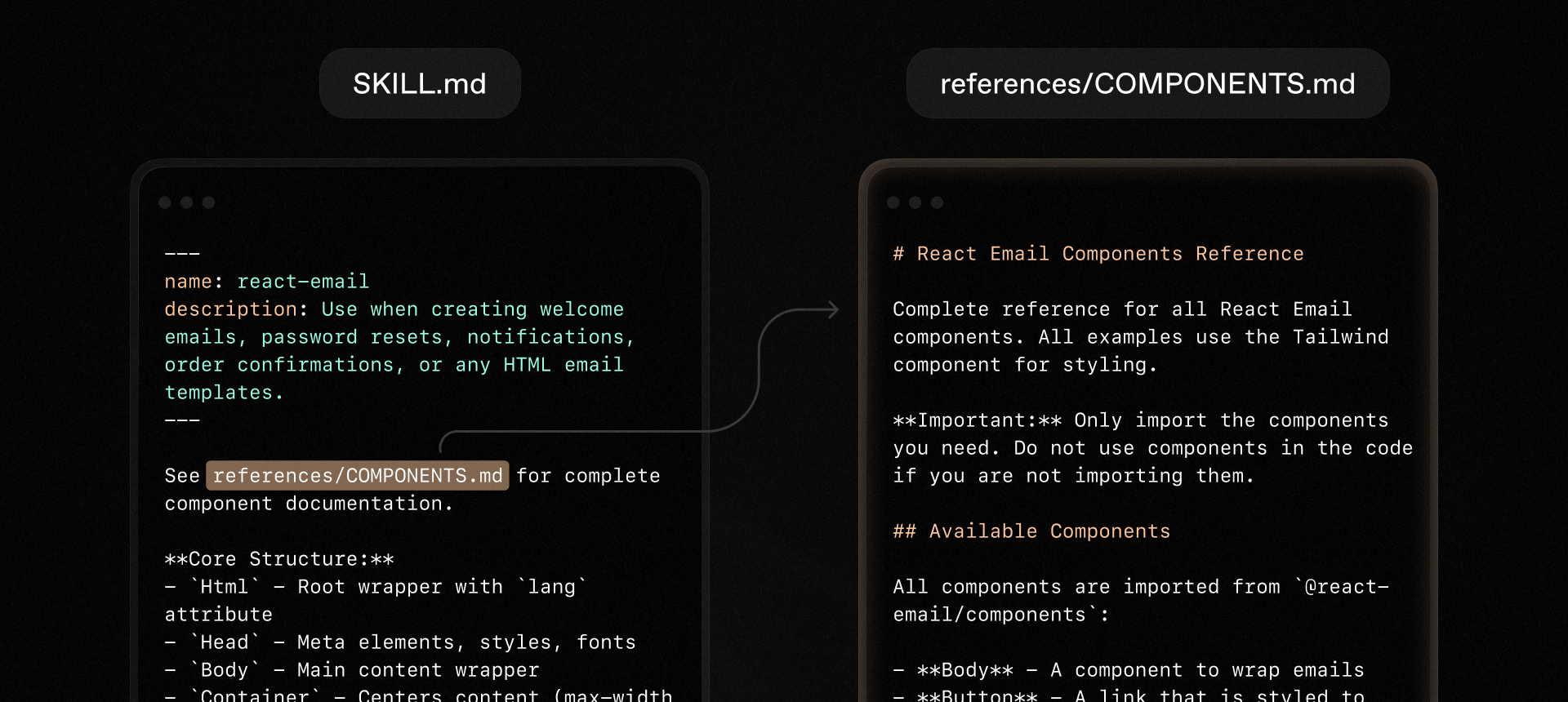 To benefit from progressive disclosure, you should keep your `SKILL.md` file as concise as possible and link out to additional reference files as needed.
For more complex skills, you may want to consider a sub-directory structure for your skill. This structure exposes sub-skills to the agent within the `SKILL.md` file. For example:
```plaintext
Resend is an email platform for developers. This skill routes to feature-specific sub-skills.
## Sub-Skills
| Feature | Skill | Use When |
|---------|-------|----------|
| **Sending emails** | `send-email` | Transactional emails, notifications, batch sends |
| **Receiving emails** | `resend-inbound` | Processing inbound emails, webhooks for received mail, attachments |
| **AI Agent inbox** | `moltbot` | Setting up email for AI agents with security measures against prompt injection |
```
### 5. Test, Expand Evals, Fill Gaps, and Repeat
Once your skill performs a task as expected according to your agent evaluation, copy the skill to a new project and use the skill to perform your task.
Because skills are markdown files, copy the folder to a new project. Agents often keep these files in a `.[agent]/skills` directory. For example:
```plaintext
.cursor/
├── skills/
│ ├── my-skill/
│ │ ├── SKILL.md
│ │ └── references/
```
If the skill accomplishes the task as expected, consider expanding the skill's surface area by adding additional evals and then writing additional expertise to the skill.
See [Skill Authoring Best Practices](https://platform.claude.com/docs/en/agents-and-tools/agent-skills/best-practices) by Anthropic and [Create Skills](https://developers.openai.com/codex/skills/create-skill) by OpenAI for additional guidance on how to create effective skills. Once again, you can also use the /writing-skills skill or an equivalent tool to help you evaluate the skill for best practices.
## Conclusion
Today, world-class [Agent Experience (AX)](/blog/agent-experience) is essential to world-class developer experience, and agent skills provide the expertise that agents need to assist developers in a context-efficient way.
I hope this guide helps you create your own agent skills that truly leverage your expertise and offer opinionated, consistent guidance to agents building with your product.
To benefit from progressive disclosure, you should keep your `SKILL.md` file as concise as possible and link out to additional reference files as needed.
For more complex skills, you may want to consider a sub-directory structure for your skill. This structure exposes sub-skills to the agent within the `SKILL.md` file. For example:
```plaintext
Resend is an email platform for developers. This skill routes to feature-specific sub-skills.
## Sub-Skills
| Feature | Skill | Use When |
|---------|-------|----------|
| **Sending emails** | `send-email` | Transactional emails, notifications, batch sends |
| **Receiving emails** | `resend-inbound` | Processing inbound emails, webhooks for received mail, attachments |
| **AI Agent inbox** | `moltbot` | Setting up email for AI agents with security measures against prompt injection |
```
### 5. Test, Expand Evals, Fill Gaps, and Repeat
Once your skill performs a task as expected according to your agent evaluation, copy the skill to a new project and use the skill to perform your task.
Because skills are markdown files, copy the folder to a new project. Agents often keep these files in a `.[agent]/skills` directory. For example:
```plaintext
.cursor/
├── skills/
│ ├── my-skill/
│ │ ├── SKILL.md
│ │ └── references/
```
If the skill accomplishes the task as expected, consider expanding the skill's surface area by adding additional evals and then writing additional expertise to the skill.
See [Skill Authoring Best Practices](https://platform.claude.com/docs/en/agents-and-tools/agent-skills/best-practices) by Anthropic and [Create Skills](https://developers.openai.com/codex/skills/create-skill) by OpenAI for additional guidance on how to create effective skills. Once again, you can also use the /writing-skills skill or an equivalent tool to help you evaluate the skill for best practices.
## Conclusion
Today, world-class [Agent Experience (AX)](/blog/agent-experience) is essential to world-class developer experience, and agent skills provide the expertise that agents need to assist developers in a context-efficient way.
I hope this guide helps you create your own agent skills that truly leverage your expertise and offer opinionated, consistent guidance to agents building with your product.